What if AI could improve your draft without taking it over?
Writva edits the draft you already wrote — you choose what changes, and nothing replaces your work until you approve it.
Most AI tools generate text fast. Editing it, steering it and trusting it is where the time goes.
Bring a draft you already wrote and improve it in passes.
No signup required · Your writing stays yours
Tired of AI that doesn't sound like you?
You paste your ideas in.
It gives you something… close.
But not quite right.
- The tone feels off
- The phrasing isn't yours
- You end up rewriting most of it anyway
Writva keeps your voice intact.
Use AI to accelerate your writing — while staying in control of how it actually sounds.
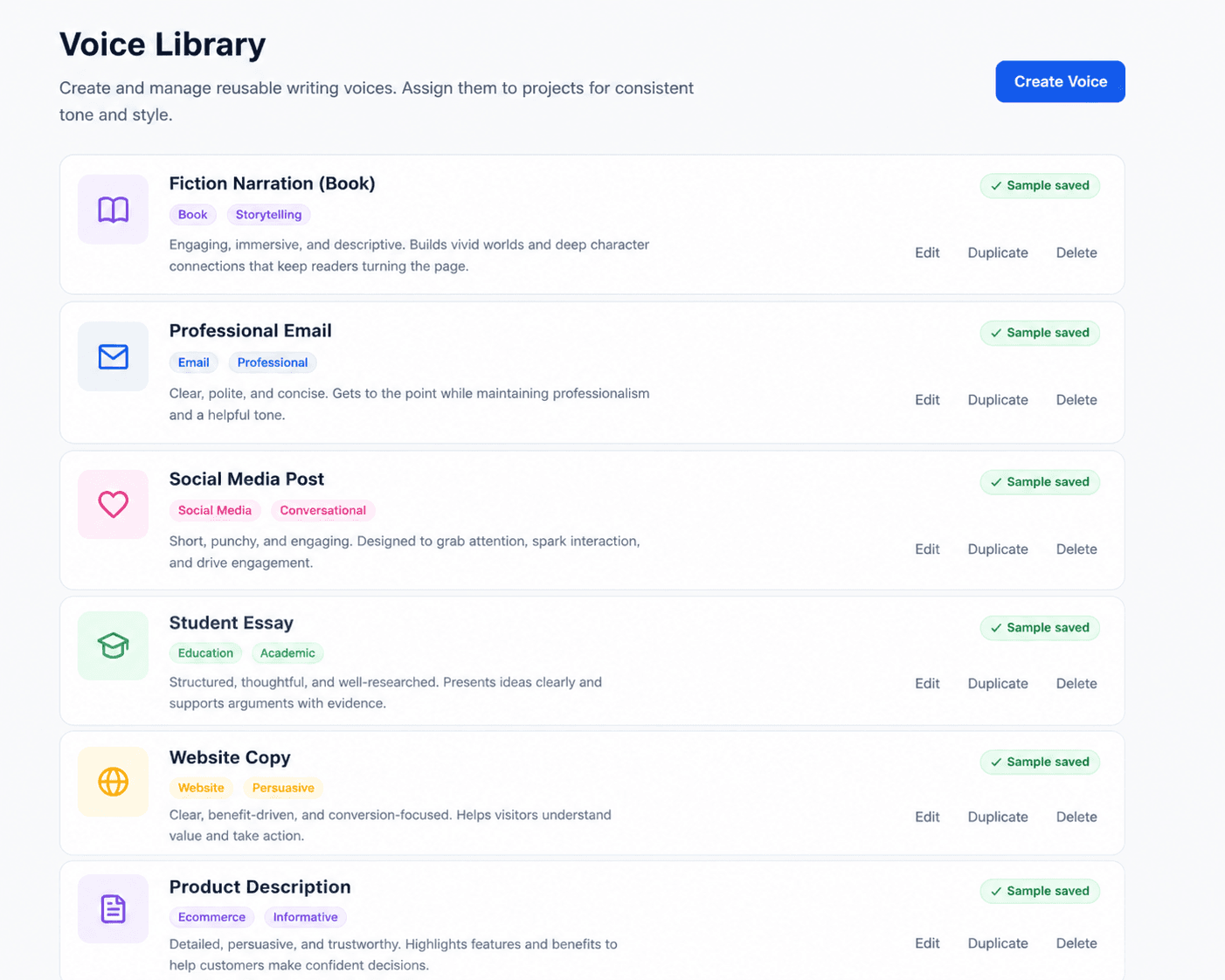
Save the voices you write in.
- Multiple voices for different projects or audiences
- Reusable across every piece you write
- Editable so your voice evolves with you
Editing AI output shouldn't feel like starting over.
You don't want a full rewrite.
You just want to:
- Fix a paragraph
- Improve a sentence
- Try a different version
Instead, most tools force you to regenerate everything.
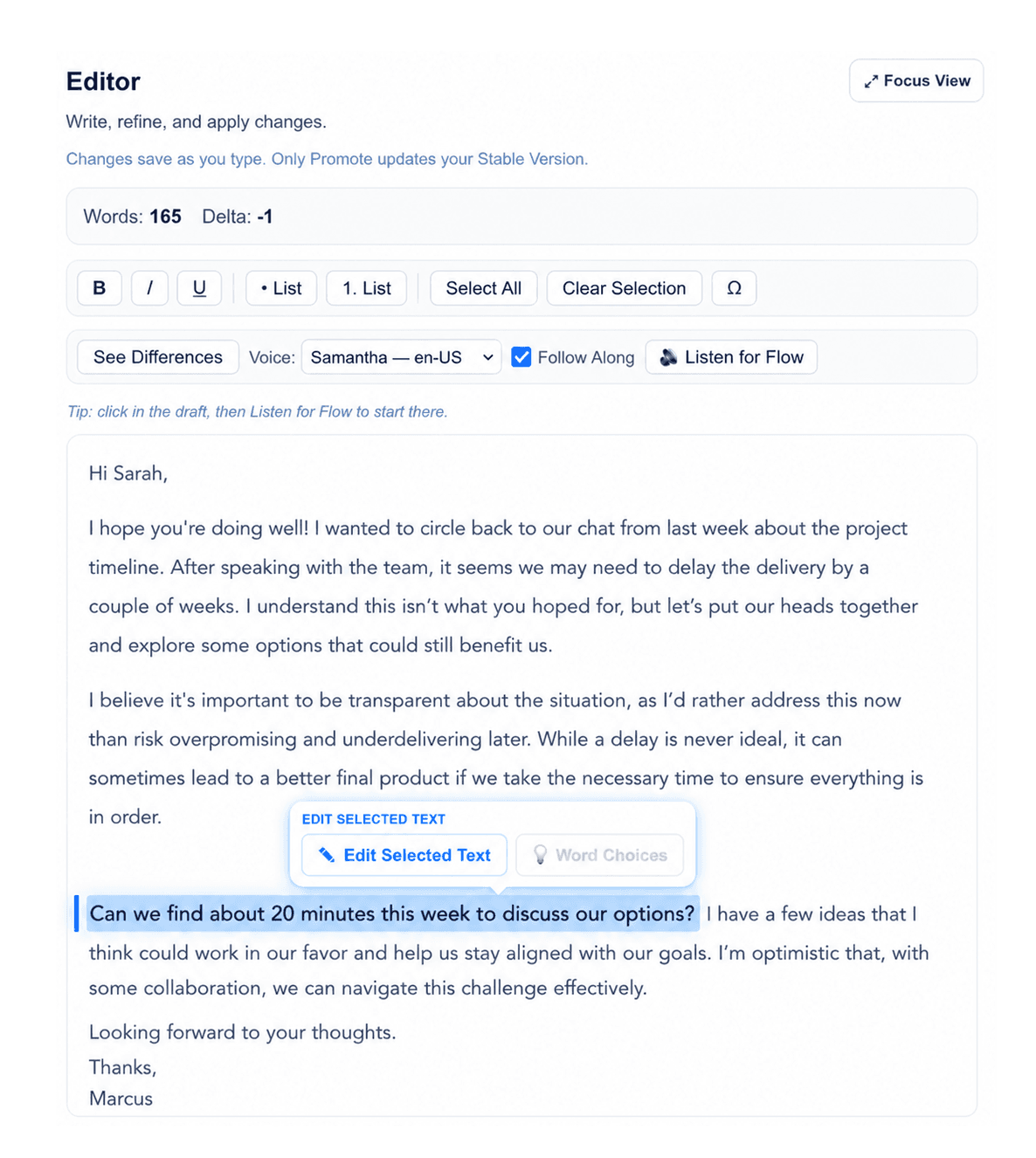
Edit only what you want.
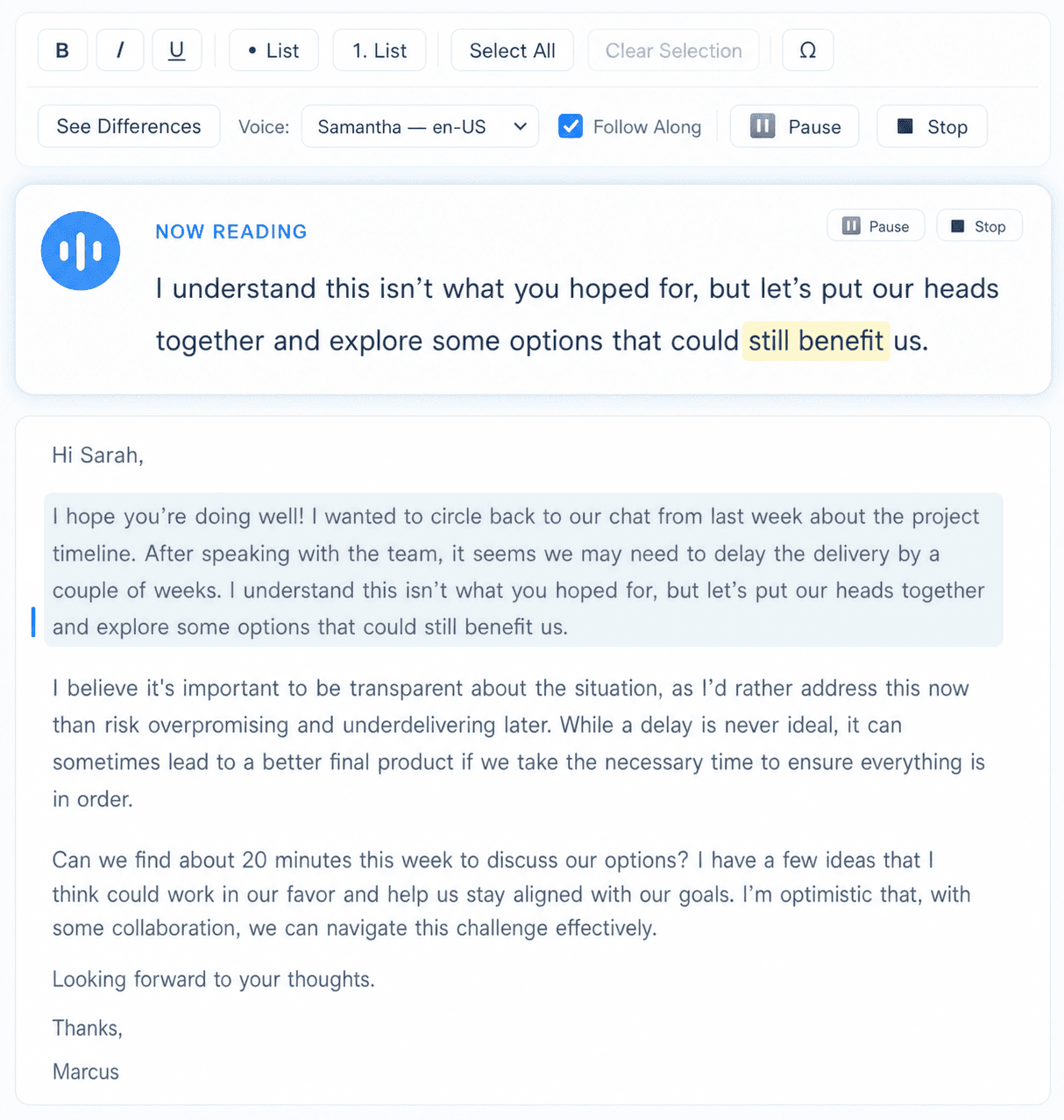
Select a sentence, paragraph, or section — and improve it without touching the rest.
Improve a sentence without rewriting a page.
- Improve for a sharper version of the same idea
- Shorten / Expand to fit space without losing meaning
- Rephrase to pick from multiple alternatives
Ever lose a version you actually liked?
You try something new…
…and suddenly the version you preferred is gone.
Now you're stuck trying to recreate it.
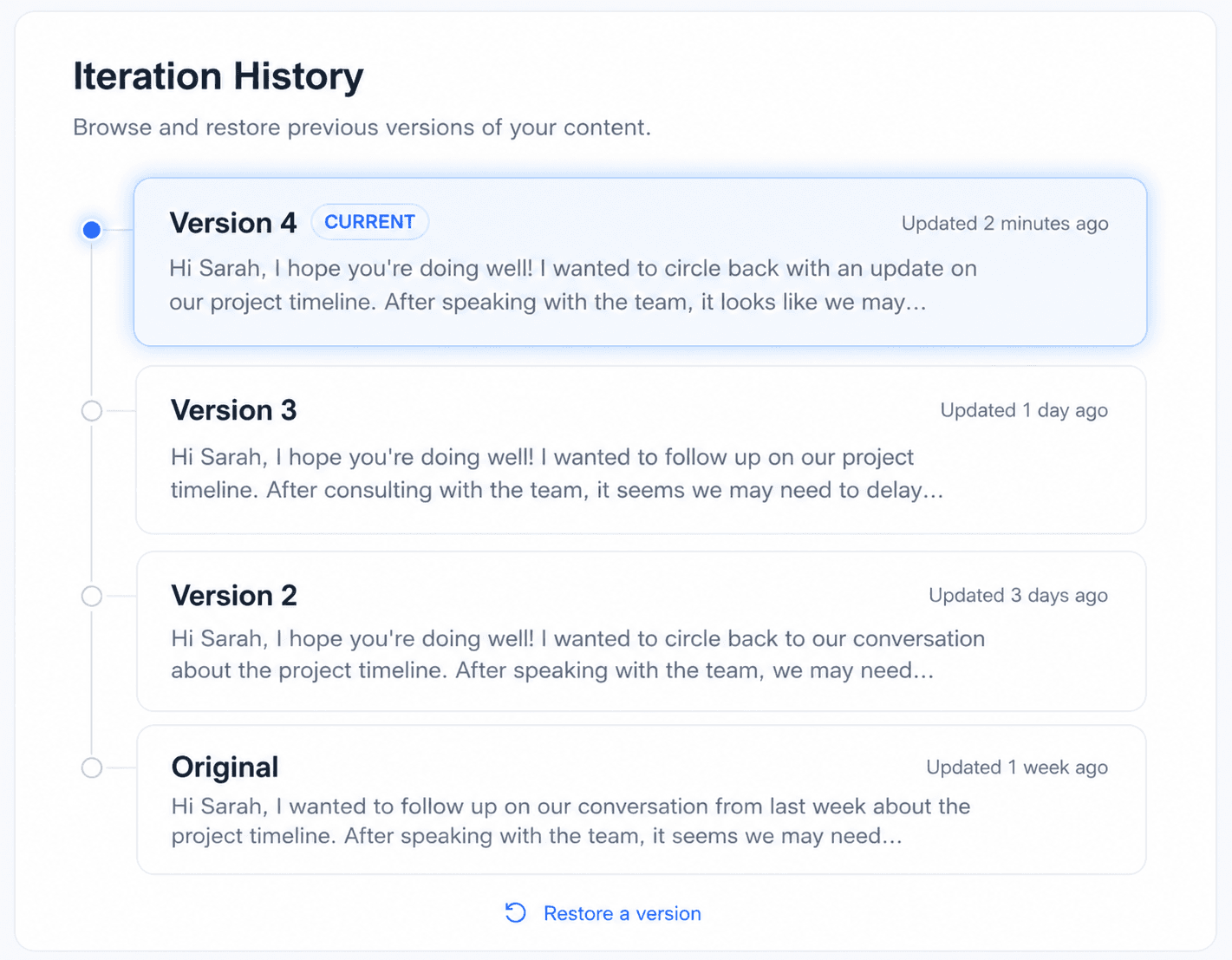
Every version is saved.
Go back, compare, restore, or build on any version — without losing your work.
Every version of your draft, safely kept.
- Preview any version without touching your current draft
- Restore to bring an earlier version back
- Compare to see what changed since
AI shouldn't overwrite your work without permission.
Most tools replace your content instantly.
- You don't get to review.
- You don't get control.
- You just get… whatever it gives you.
Nothing changes unless you approve it.
Writva separates your writing into:
- A Stable Version (your approved content)
- An Edited Version (AI suggestions)
You decide what becomes final.
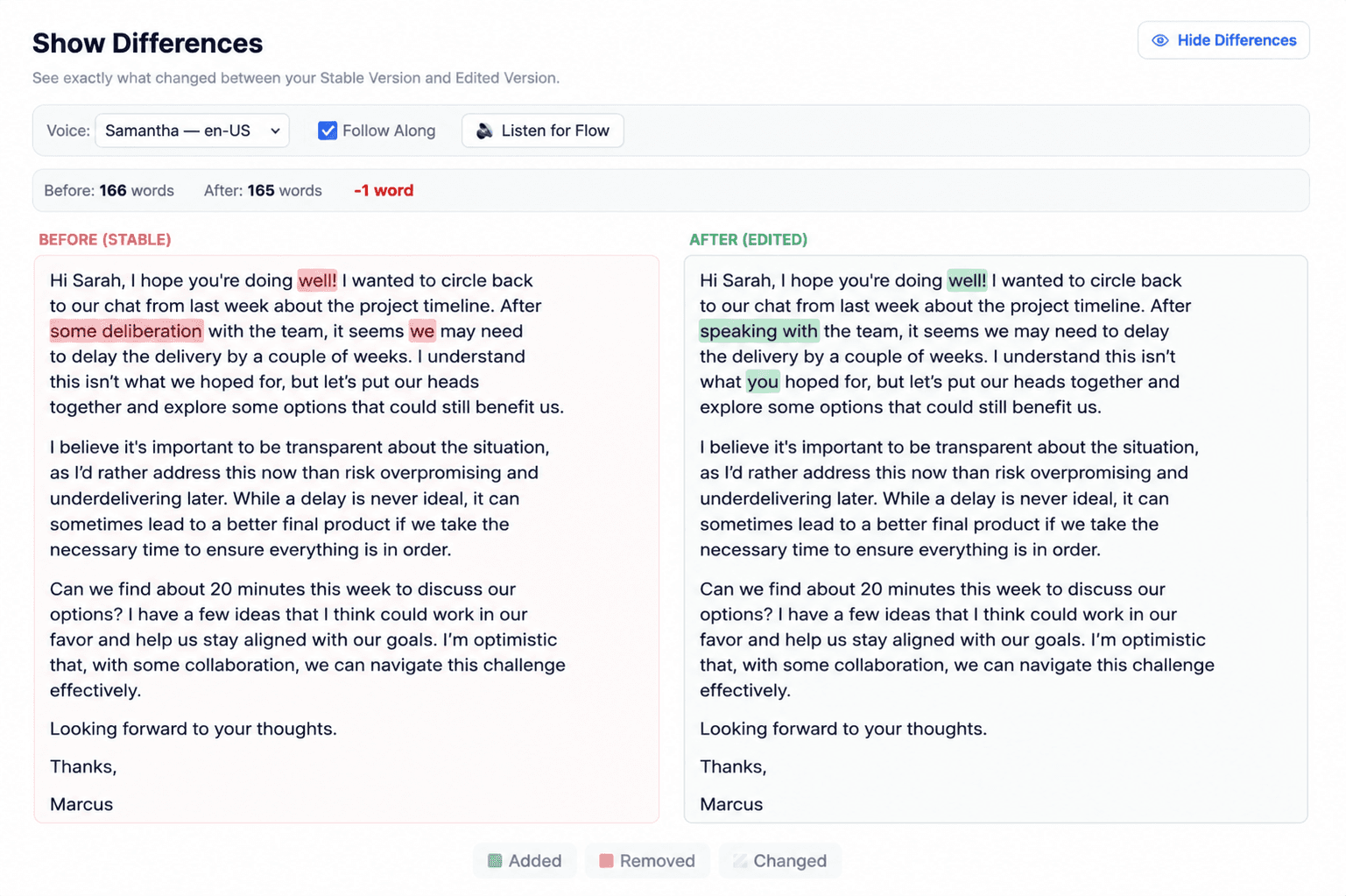
Review every change before it becomes final.
- Word-level diff so nothing slips by
- Two clear columns stable on the left, edited on the right
- Promote on approval — never automatic
A better way to write with AI
Start with your draft
Paste what you've already written or start a new piece.
Improve specific sections
Select what to change. Leave the rest alone.
Review changes safely
See what shifted before anything is committed.
Promote what you like
Approve the new version when it's actually better.
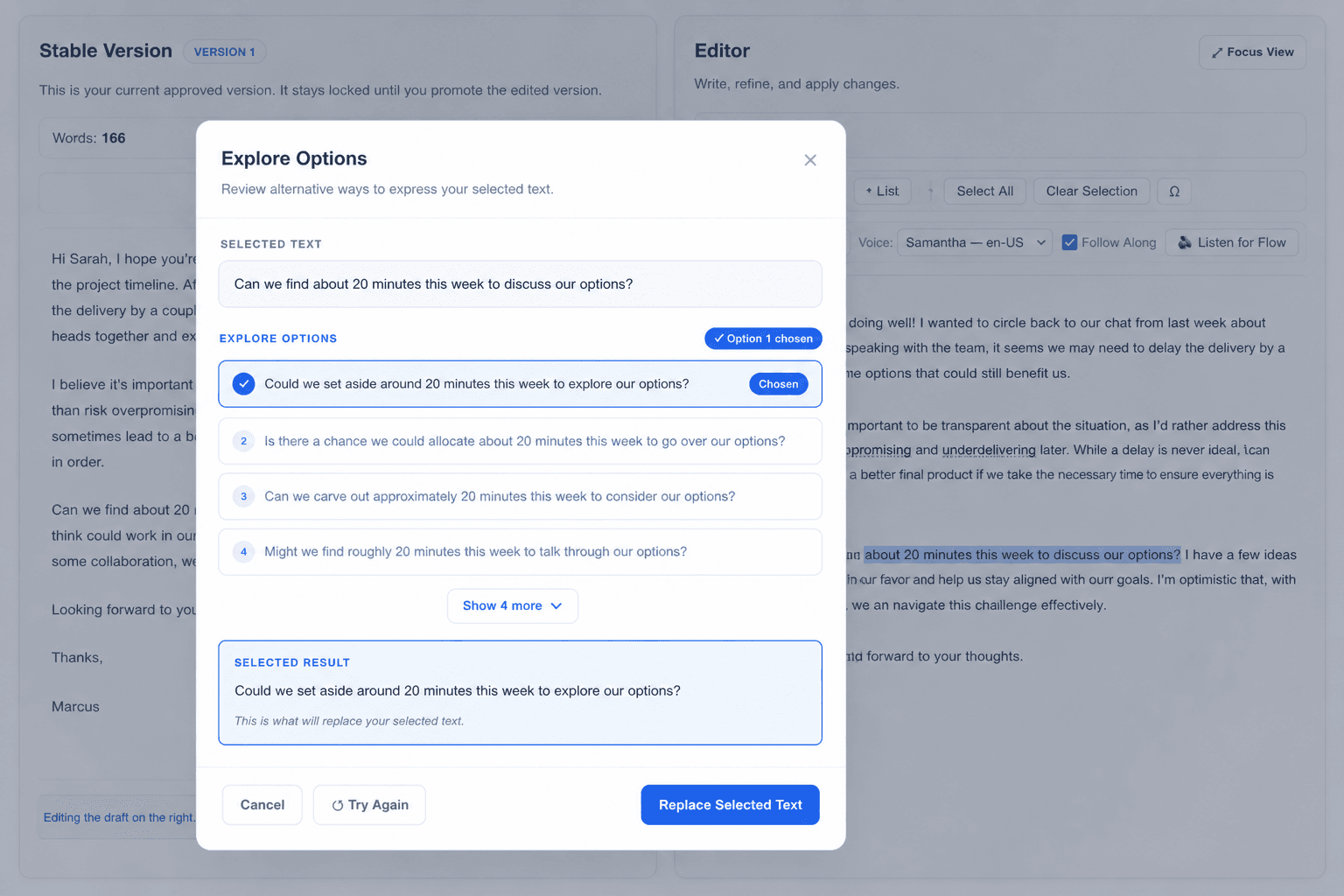
Compare alternatives instead of guessing.
- Multiple directions from one selection
- Side-by-side preview to weigh the trade-offs
- Bring one in or keep your original
Write faster. Think clearer. Stay in control.
- Write high-quality content in less time
- Keep your voice consistent
- Make precise edits instead of full rewrites
- Never lose a version again
- Build better writing through iteration
Find the part of Writva you need
Explore Features
Controlled editing, voice preservation, version history, and the tools for book-length work.
Find Your Writing Workflow
How Writva fits the work you actually do — for authors, and for nonfiction writers.
Browse Guides and Templates
Practical guides to editing, organizing, outlining and revising — plus a template you can use today.